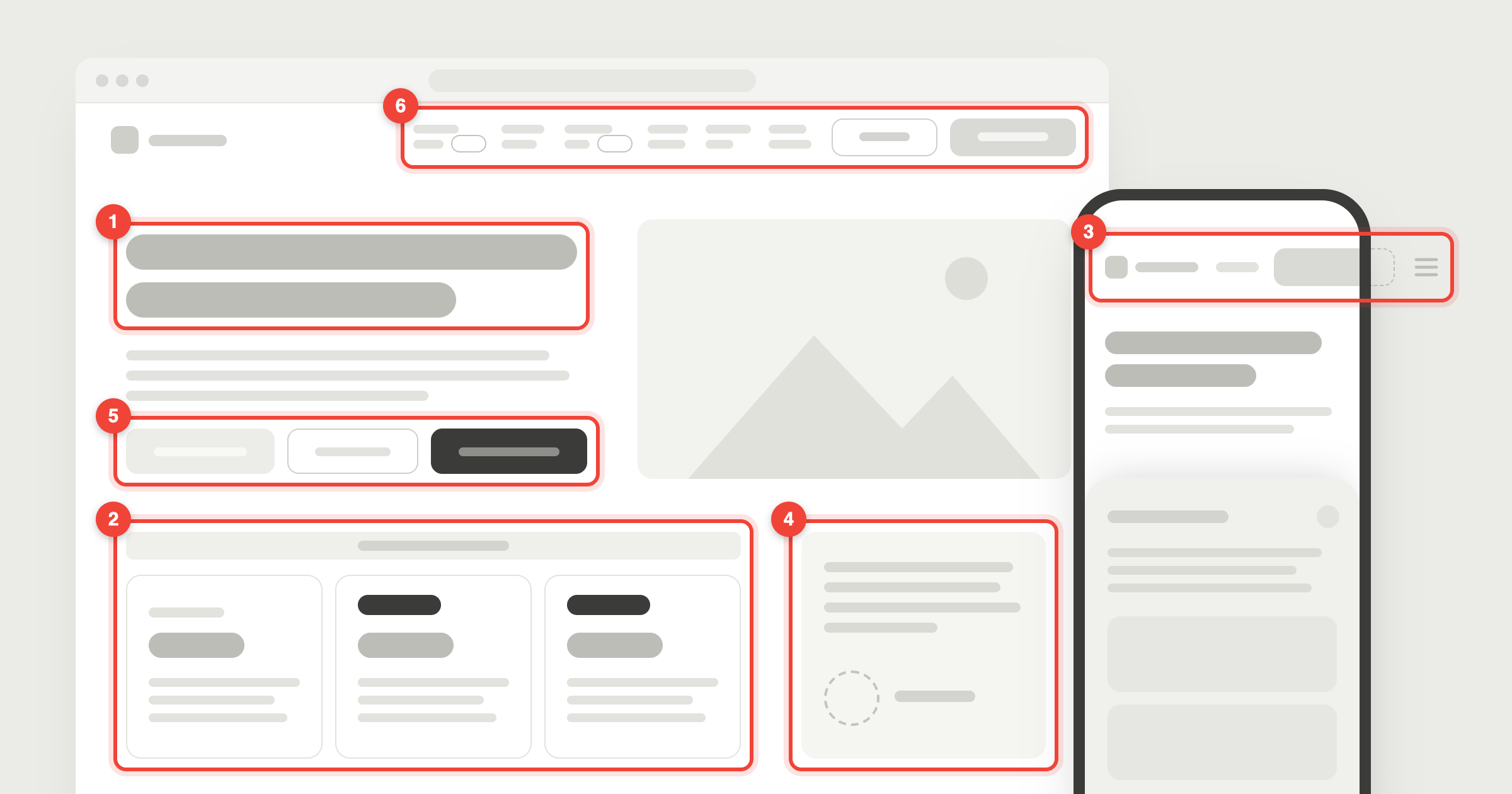
You built the app in a weekend. It works. But when you look at it, something feels off, and you can’t say what.
In October I went through 24 apps that founders had built with AI tools and shared on Reddit. 16 were built in Base44, 6 in Lovable, 1 in Bolt and 1 in ezsite. For each one I wrote down the three things I’d fix first, 72 fixes in all.
The same six problems kept turning up. Most aren’t bugs: they’re choices the builder made for you, and they’re quick to undo. Of the first ten founders I sent fixes to, four had shipped at least one within two days.
1. The first screen doesn’t say what it is
8 of 24 apps. The headline says “Welcome to” and the product’s name. Or it’s a slogan that never says what the product does. Or the first screen shows photos, and the app itself appears nowhere.
A visitor gives your first screen a few seconds. If they can’t tell what it is and whether it’s for them, they leave before the second screen.
The fix: the headline says what the app does and who it’s for, in plain words. Show the real product, a screenshot of the actual app, in place of the photos.
Tell your builder: “Rewrite the hero headline so it says what this app does and who it’s for, in under ten words. Replace the hero image with a screenshot of the app itself.”
2. The prices contradict each other
8 of 24 apps. A banner says 50% off, but the price card still shows the full price. Two plans both say “Most popular”. “FREE” badges sit next to a monthly price. A free trial is mentioned only after the sign-up click, or no package shows a price at all.
Someone reading your pricing is deciding whether to pay you. Every mixed message there is a reason to wait.
The fix: one plain line per plan that says what it costs and when. One “Most popular”, at most. If there’s a sale, the sale price is on the card.
Tell your builder: “Go through the pricing section as a new visitor. Every badge, banner and price must agree. Show the sale price on the card and strike through the old one.”
3. It breaks at a size you didn’t check
8 of 24 apps. AI builders show you a preview at one size, and the app looks right there. On a phone, the header is wider than the screen and the menu button sits off the edge, so nobody can open the menu. On a laptop, floating cards land on the headline and cover it, or the whole app stays a narrow phone-sized column in the middle of the screen. A “How it works” panel covers half a phone screen until someone finds the close button.
The fix: look at every page on a real phone and on a laptop before you share the link. Anything that overlaps, gets cut off or sits off the edge is the first thing to fix.
Tell your builder: “On a 390px-wide screen, nothing may overflow sideways and the menu button must be visible. On a 1440px screen, nothing may overlap the headline.”
4. Nothing shows there’s a person behind it
8 of 24 apps. The founder’s note, often the most convincing thing on the page, is signed “Founder”, with no name and no face. Or the founder’s name and photo first appear three and a half screens down. Or the page lists six features and not one real example of someone using them.
People pay people. An app with no name on it reads as a side project that could disappear next month.
The fix: your name and face in the first two screens. One real example of the product in use, even if it’s yours.
5. Too many buttons, or the wrong one is the loudest
7 of 24 apps. Two identical buttons ask a visitor to pick a tool before they know what either does. The main button is light gray, the color people read as disabled, or black on a black page. A sign-up for a feature that isn’t out yet sits right under the main button, and sometimes it gets the bolder style.
The fix: one main action per screen, in your brightest color. Everything “coming soon” moves down the page.
6. The menu makes people work
7 of 24 apps. Six links, two buttons and “NEW” tags squeezed into one bar, so every label wraps onto two lines. Filters with no labels. A shop whose menu has Home, About and Contact, but not the thing it sells. A version number sitting where people look for “Log in”.
The fix: four or five links, each a plain label for a place people want to go. The thing you sell is always one of them.
Four smaller ones
Each of these turned up in 4 of the 24 apps:
- Things left unfinished: an “Edit with Base44” badge on every page, sample data on a page that sells live data, an empty “Your business here” slot.
- Buttons that go somewhere unexpected: “Browse the library” opens a sign-up form, and three different booking buttons open the same enquiry form.
- The same thing said two or three times on the first screen: two logos, or three sign-up buttons with three different labels.
- Text that’s hard to read: thin light type over a video, or the one line that says what you sell in small gray text.
What fixing them looks like
WellNest is a health tracker built in Base44. Its founder asked for feedback on Reddit, so I sent the three things I’d fix first, and two more once those were live.
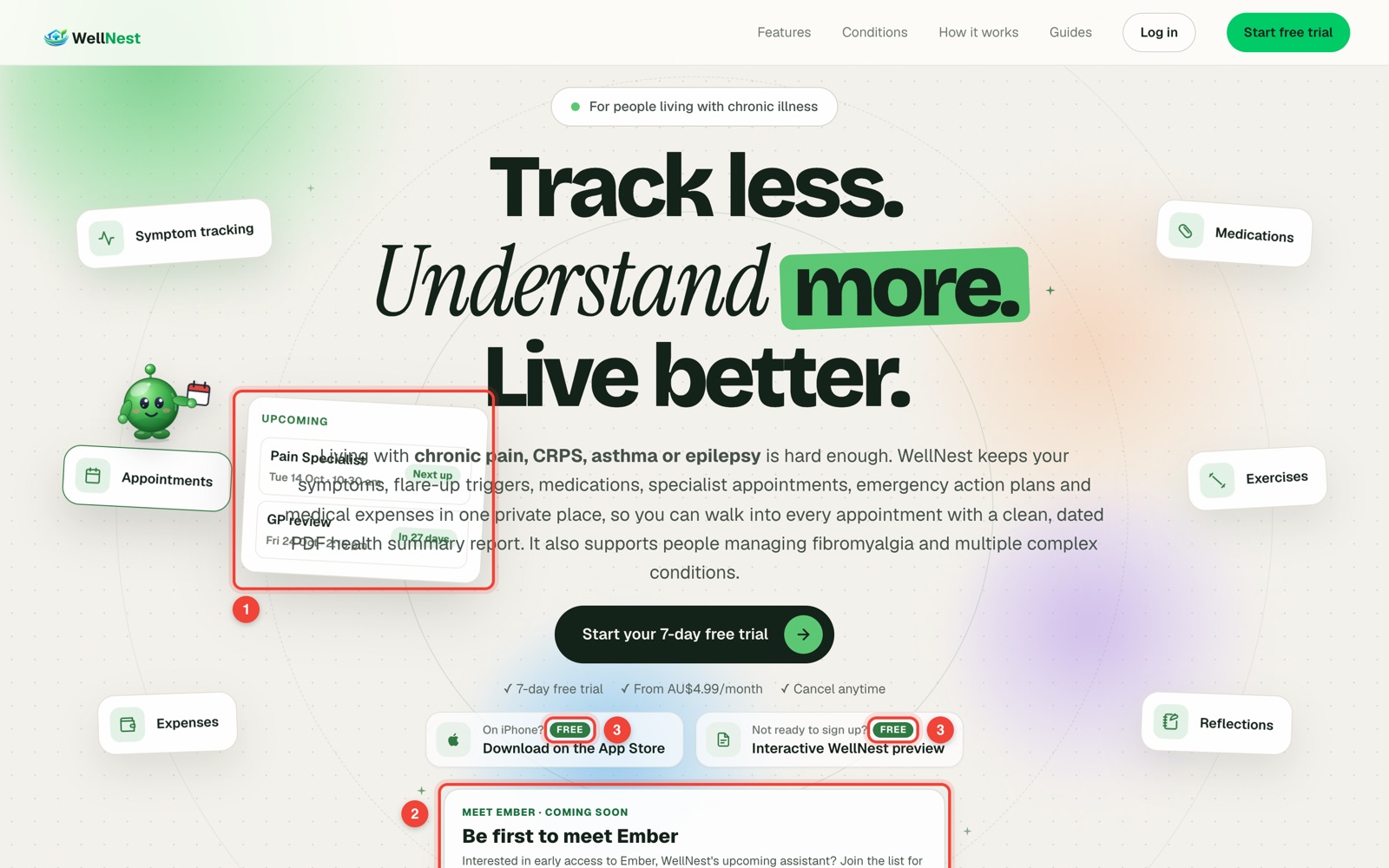
The floating cards moved clear of the text. The free trial became the only sign-up on the first screen. The two “FREE” pills became one plain line: free for 7 days, then AU$4.99 a month. All five fixes were live within 24 hours.
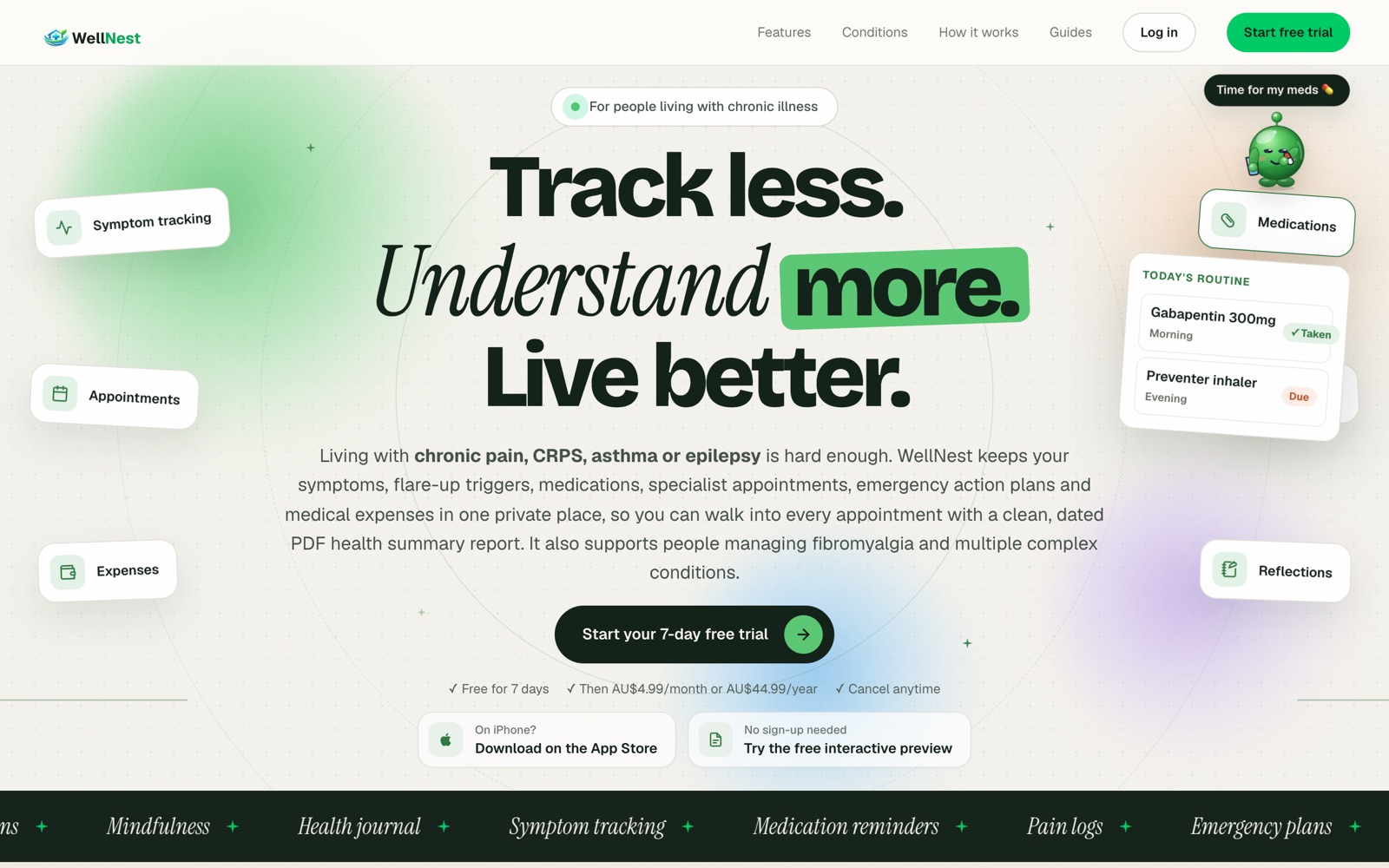
The whole story, fix by fix, is in the WellNest case study.
Check yours in ten minutes
- Open your app on a phone and on a laptop. Does anything overlap, get cut off or sit off the edge?
- Show someone your first screen for five seconds, then hide it. Can they say what it is and who it’s for?
- Count the buttons on the first screen. Is one clearly the main one?
- Read your pricing as a stranger. Does every badge, banner and price agree?
- Find your name and face. Are they in the first two screens?
- Click every link in your menu and footer.
A note on the numbers
These are 24 apps, not a study. Each got three findings, the three I’d fix first, so a problem that didn’t make an app’s top three isn’t counted. They’re apps founders shared in builder communities on Reddit, so they lean toward early products, and two-thirds were built in Base44. All six problems turned up in the six Lovable apps too.
If you’d rather have a second pair of eyes on yours, send me your link. I’ll send back the three things I’d fix first, free, within 24 hours.